
Examples

Create your own sound
Steps
- Install and start Processing
- Copy code of next section into processing
- Modify file name and – via that – the input file (ATTENTION: exact file name format is important!)
- Run program and enjoy!
Code
// Recommended to use Processing 3.5.4 (V4 and above have no mididbus support)
// Save file in format "sketch_yymmdd_abcd" with "abcd" being a four letter rcsb code to specify molecule (e.g. "1HOC"), save, and run

import themidibus.*;
import java.io.File;
MidiBus myBus;
Table table;
float[] xVal, yVal, zVal,x,y;
int[] xscaled, yscaled, zscaled;
float[] xoriginal, yoriginal, zoriginal;

float xmin, xmax, ymin, ymax, zmin, zmax, wert1, wert2, wert3;
int len;
int[] tone;
int i = 0;
int j = 0;
float border = 0.1;
float dj;
float[] p1a, p1b, p2a, p2b, p3a, p3b;

void setup() {
  size(1000, 1000);
  background(0);
  String scriptPath = System.getProperty("user.dir");
  File currentScript = new File(scriptPath + File.separator + this.getClass().getSimpleName() + ".pde");
  String myString = (currentScript.getName());
  String protein = myString.substring(14,18);
  println(protein);

  myBus = new MidiBus(this, "Real Time Sequencer", "Microsoft MIDI Mapper");

  saveData(protein);
  scaleData(protein);
}

void saveData(String protein) {
  String filename = "https://files.rcsb.org/view/" + protein + ".cif";
  String[] lines = loadStrings(filename);

  ArrayList<String> xvalList = new ArrayList<String>();
  ArrayList<String> yvalList = new ArrayList<String>();
  ArrayList<String> zvalList = new ArrayList<String>();

  for (String mainString : lines) {
    String[] words = mainString.split("\\s+");
    if (words.length > 0 && words[0].equals("ATOM") && words[3].equals("CA")) {
      xvalList.add(words[10]);
      yvalList.add(words[11]);
      zvalList.add(words[12]);
    }
  }

  ArrayList<String> csvContentList = new ArrayList<String>();
  csvContentList.add(join(new String[]{"x", "y", "z"}, ","));

  for (int k = 0; k < xvalList.size(); k++) {
    csvContentList.add(join(new String[]{xvalList.get(k), yvalList.get(k), zvalList.get(k)}, ","));
  }

  String outputFilename = "output_" + protein + ".csv";
  saveStrings(outputFilename, csvContentList.toArray(new String[0]));
}

void scaleData(String protein) {
  table = loadTable("output_" + protein + ".csv", "header");
  len = table.getRowCount();

  // Initialize arrays
  xVal = new float[len];
  yVal = new float[len];
  zVal = new float[len];
  p1a = new float[len];
  p1b = new float[len];
  p2a = new float[len];
  p2b = new float[len];
  p3a = new float[len];
  p3b = new float[len];

  for (int row = 0; row < len; row++) {
    xVal[row] = table.getFloat(row, "x");
    yVal[row] = table.getFloat(row, "y");
    zVal[row] = table.getFloat(row, "z");
  }

  xmin = min(xVal);
  xmax = max(xVal);
  ymin = min(yVal);
  ymax = max(yVal);
  zmin = min(zVal);
  zmax = max(zVal);

  for (int row = 0; row < len; row++) {
    wert1 = map(table.getFloat(row, "x"), xmin, xmax, 0,height/2);
    wert2 = map(table.getFloat(row, "y"), ymin, ymax, 0,height/2);
    wert3 = map(table.getFloat(row, "z"), zmin, zmax, 0,height/2);

    xVal[row] = wert1;
    yVal[row] = wert2;
    zVal[row] = wert3;
  }

  dj = TWO_PI / len;
  initializePoints(xVal, p1a, p1b);
  initializePoints(yVal, p2a, p2b);
  initializePoints(zVal, p3a, p3b);
}

void draw() {
  if (i < len - 1) {
    drawSequence(xVal, p1a, p1b, color(255,255,255));
    drawSequence(yVal, p2a, p2b, color(255,127,36));
    drawSequence(zVal, p3a, p3b, color(139,90,43));
    i++;

   } else if (i == len - 1) {
    // Draw a closing line back to zero or to a specified point
    drawClosingLines(xVal, p1a, p1b, color(255,255,255));
    drawClosingLines(yVal, p2a, p2b, color(255,127,36));
    drawClosingLines(zVal, p3a, p3b, color(139,90,43));
    i++; // Increment to avoid re-entering this block
  }

if (mousePressed == true) { saveFrame("pic.png");};
saveFrame("picfinal.png");
}

void initializePoints(float[] sequence, float[] x, float[] y) {
  for (int j = 0; j < len; j++) {
    x[j] = width/2 + sequence[j] * cos(j * dj);
    y[j] = width/2 + sequence[j] * sin(j * dj);
  }
}

void drawClosingLines(float[] sequence, float[] x, float[] y, color strokeColor) {
  stroke(strokeColor);
  line(x[len - 1], y[len - 1], x[0], y[0]); // Connect the last point back to center or origin
}

void drawSequence(float[] sequence, float[] x, float[] y, color strokeColor) {
  int tone = (int) sequence[i];

  myBus.sendNoteOn(1, tone*127/width*2 , tone);

  float r = random(1, 3);
  delay(int(r) * 80);

  stroke(strokeColor);
  x[i] = width/2 + sequence[i] * cos(i * dj);
  y[i] = width/2 + sequence[i] * sin(i * dj);
  line(x[i], y[i], x[i+1], y[i+1]);
}
How the sounds were made
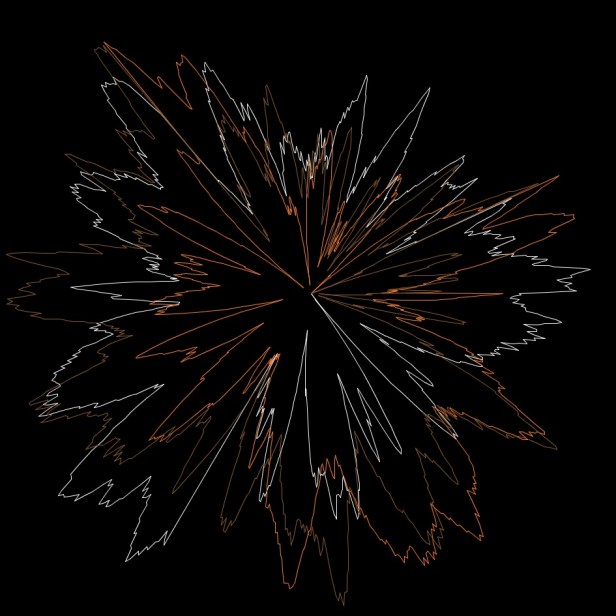
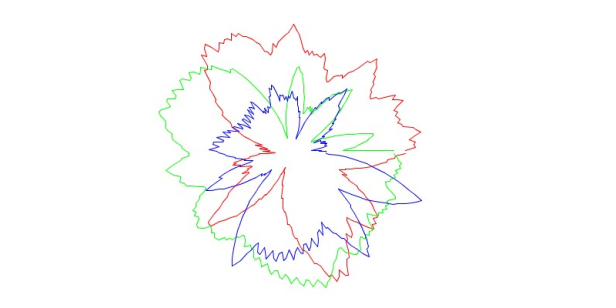
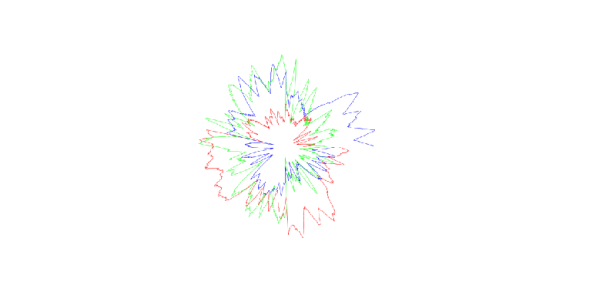
During an artist residency at the Springer Lab at Constructor University Bremen – exploring biomolecules such as proteins and viruses in various contexts – a computer program was developed to transform atomic positions of biomolecules into MIDI sounds while simultaneously visualizing the conversion through flower-like polar coordinate shapes.
The input data consisted of the x, y, and z coordinates of all atoms of a specified molecule, retrieved from the molecular database RCSB PDB. These coordinates generated both a three-voice sound and a visualization looking like circular canons.
That way, each biomolecule produces a unique sound and shape, inviting unconventional perspectives to compare, celebrate, and appreciate nature’s endlessly varied yet intrinsically related structures.
 Heike Seyffarth